|
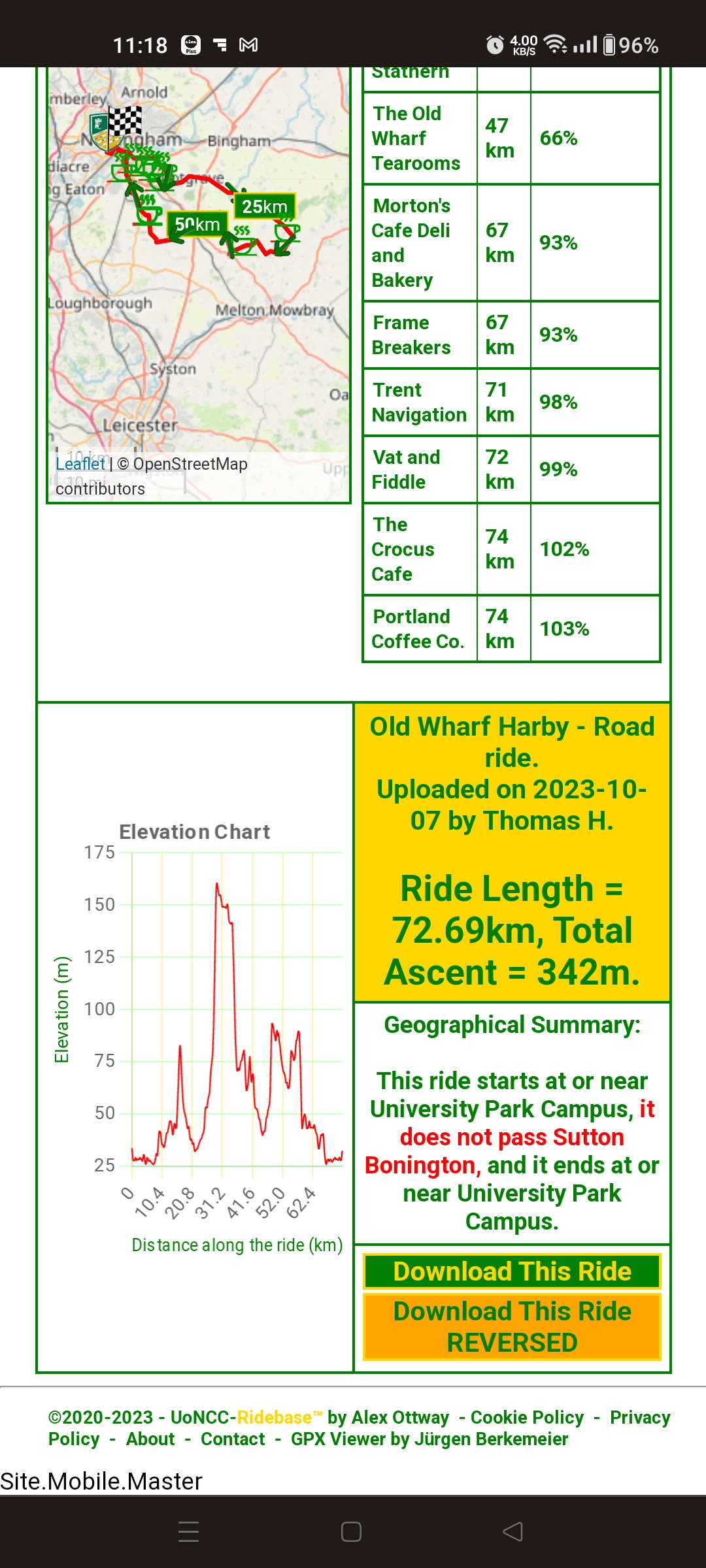
Before you start - browse RideBase and download the ride(s) you want :) |
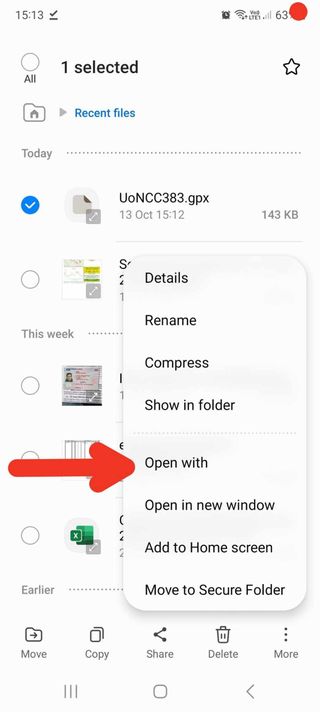 |
Locate the downloaded file in your Android Device file manager app of choice. (Files, ES File Explorer, Cx File Explorer for example)
Click it.
Android system will ask you which app you want to use to open the file....
|
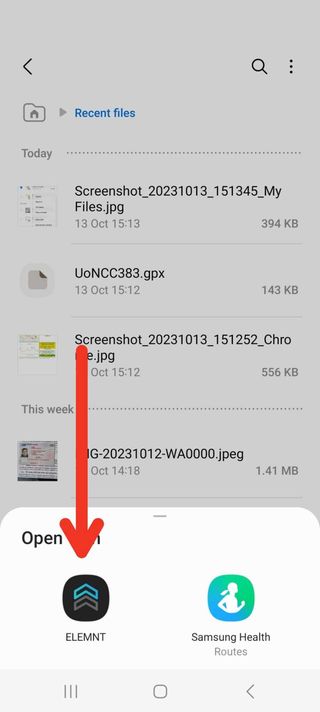 |
Choose "ELEMNT"
If you haven't already installed ELEMNT, get it from Google Play:

|
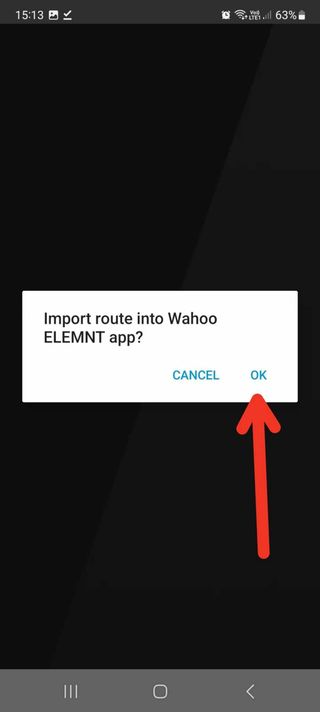 |
Click "OK" to import the route into ELEMNT. |
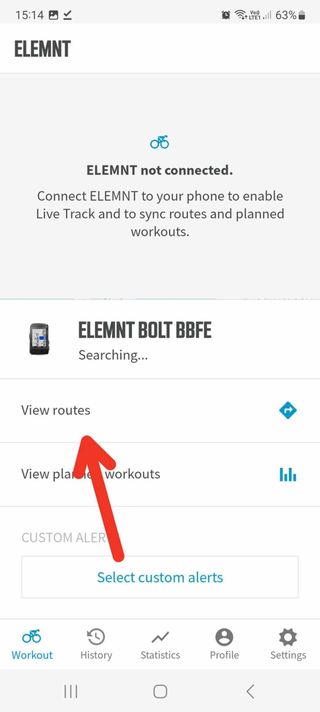 |
In the ELEMNT app, click "View Routes" |
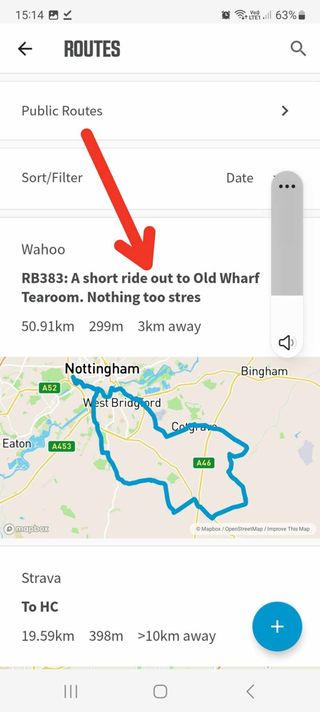 |
Click the route you want to ride.
Turn on your Wahoo head unit....
That's it! Your ride will be loaded to the bike computer and away you go :)
|